Why Every Cam Model Needs a Telegram (TG) Channel (&How to Set it up)
[Why Telegram Matters] How to Set it Up} [What to post] [How to get subscribers] {Common Mistakes}
If you don’t have a Telegram (TG) channel, you are missing one of the easiest ways to grow your income.
Why Every Cam Model Needs a Telegram Channel
Social media can be unreliable, cam sites control visibility, and a Telegram channel gives models a direct audience they can reach anytime
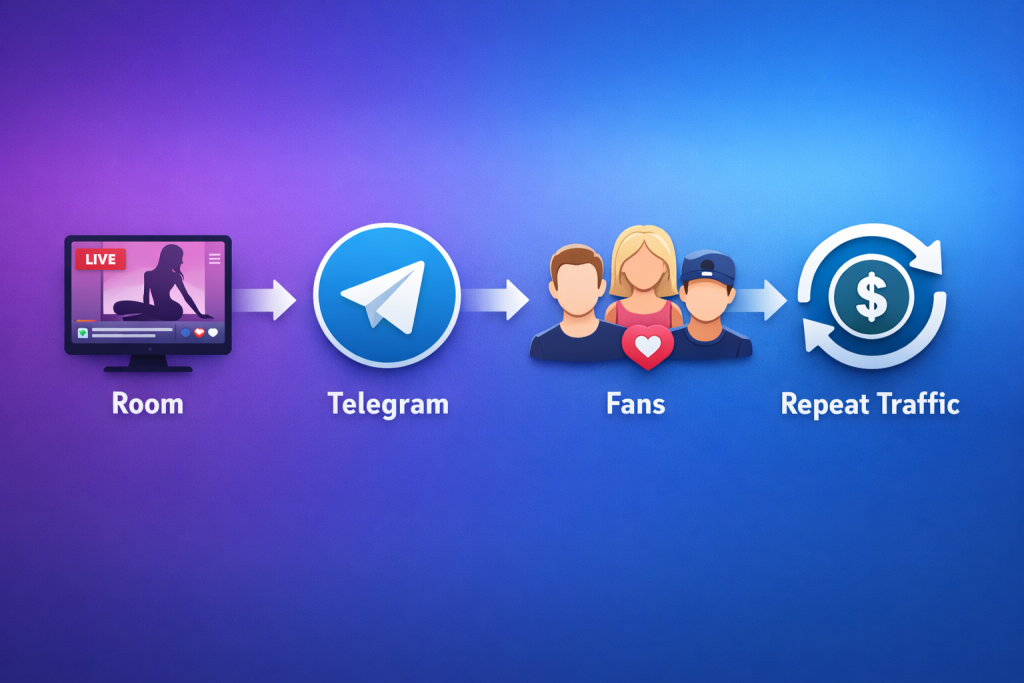
Why Telegram matters for Cam Models
Cam Sites don’t give you full control over audience access. They can bring you the viewers and you can use their tools like ‘follow’ and fan groups to maintain an audience BUT if something goes wrong and you lose access to the platform you have nothing.
Users can be fickle, they get attracted by other models, and you can lose them if you don’t manage them. A Tg channel gives you a very useful way to stay connected with your audience, and bring them back time after time.
If you own the audience, then this gives you the opportunity to grow additional, non show time dependent and off platform income.
Why Relying only on Cam Site Platforms can be RISKY
Benefits of a TG Channel
How to Use TG effectively
There are three options you can use to communicate with users via Telegram.
Personal
Share a personal TG with the user. Great for building relationships with your most important clients. Can get messy and hard to manage if you give it to everyone.
Channel
Allows you to message all users at once. Easier to manage. Cleaner when you want to promote something. Recommended Starting Point.
Group
Creates an open discussion. Much harder to moderate, you can lose control of the conversation.
How to Setup Your Telegram Channel
Simple instructions for setting up a TG channel
Step 1 – Download Telegram & Secure Your Account
- Install APP
- Use a Sensible & Easy to Transcribe Name
- Keep the Account professional or at least consistent with your overall theme
Step 2 – Create a New Channel
- Tap new message
- Choose Channel
- Name it clearly (this is what you will be sharing withpeople)
- Add a short description
- Upload a Profile image
Step 3 – Choose Public or Private
- Public is easier to promote
- Private can feel exclusive
- Public usually works better first
Step 4 – Write a Strong Channel description
- Who you are
- What fans get
- When you are live
- Why they should stay
Step 5 – Add Simple Branding
- Profile image
- Consistent style
- Same tone as room and bio
Step 6 – Create Your first 5 posts
- Welcome Post
- What fans will get
- Your Schedule
- How to Support You
- A sample ‘I’m LIVE now’ post (use a template before your stream strats
- A sample ‘Thanks for watching’ post (use as a template for immediately after your stream)
Step 7 – PIN you most important post
- Make this the ‘Welcome / Key Links / Room Link / what to expect post’
- If you put a link to your room (you should) then check whether you can use an affiliate / referral link and why this is a BOSS move.
Step 8 – What Should You Post in Your TG Channel?
- Live now alerts
- teaser content
- weekly schedules
- special events
- thnk you posts
- come back reminders
- fan rewards
- links back to your room
Consistency matters more than volume. A simple active channel beats a perfect inactive one.
Step 9 – Establish a Simple Posting Rhythm
Before Stream
- Teaser
- Countdown
- When You’re Going Live
During Stream
- Reminders
- Event or Goal Update
- Light call to actions
After Stream
- Thank You
- Next Stream Notice
- Teaser for return traffic
Step 10 – How to Get Users into Your TG Channel
Common Telegram Mistakes Cam Models Make
Step 12 – Your Next Steps
Want More Traffic back to Your Room?
A Telegram channel works best when it’s part of a full conversion system — your room title, bio, banners, OBS, pinned content, and return-traffic strategy all need to work together.